My iteration loop for a display bug was: edit, build, flash, pick up the panel, photograph it, squint. Forty seconds a guess. The fix was not a better guess.
The panel is a 0.97” e-paper strip, 184×88, driven from an ESP32-C5 over SPI. Its active area is 22.26 × 10.65 mm — the size of a thumbnail, and the source of most of what follows.
Getting pixels onto it at all was a separate fight: the reset line belonged to the JTAG block, so the HAL accepted every write and moved nothing. This post is about what came after — making those pixels mean something.
Trap 1: symmetric test patterns hide orientation bugs
I brought the panel up with the usual geometry — border rectangle, big X, checkerboard, concentric squares. All rendered. I called it working.
Every one of those patterns is vertically symmetric. The panel had been rendering upside down the whole time and the test content was incapable of showing it. The first frame of real text made it obvious, and made the earlier “verification” retroactively worthless.
If a test pattern can’t distinguish top from bottom, it isn’t testing orientation. One asymmetric glyph — a large F, a filled corner marker — catches this on the first frame and costs nothing.
Trap 2: the controller’s own 180° mode mirrors
The text came out backwards, so I started guessing: the other rotation, then the driver’s rotated init, then back again. Several flash cycles in, I stopped and did the thing I should have done first — took one photograph and transformed it on the host:
# One of these reads correctly, and that tells you which class of defect
# you have before touching the firmware again.
Image.open('panel.jpg').rotate(180).save('cand_rot180.jpg')
ImageOps.mirror(Image.open('panel.jpg')).save('cand_mirror.jpg')
The mirrored candidate read perfectly. Ten seconds, and it ruled out every rotation I had been cycling through — a rotation cannot produce a mirror, so no quarter-turn was ever going to fix it.
The interesting part is why it was mirrored. The SSD1680 has a rotated init sequence, shipped in the vendor sample as EPD_HW_Init_180. It sets data-entry mode 0x02 — X decrement — which walks the RAM byte pointer backwards.
The bytes reverse. The eight pixels inside each byte do not — they stay MSB-first. So the controller mirrors at byte granularity instead of rotating. On a 1-bit framebuffer that is not a rotation at all, and no combination of its other flags gets you one.
The fix was to stop asking the controller. Orientation now happens in software, inside the DrawTarget:
let (px, py) = match self.orientation {
    Orientation::Native => (lx, ly),
    // panel(x, y) = logical(y, x). A transpose, not a quarter-turn: the
    // panel's own scan is Y-decrement, and a vertical flip composed with a
    // quarter turn collapses to this.
    Orientation::Transpose => (ly, lx),
    Orientation::TransposeFlip => (self.panel_w - 1 - ly, self.panel_h - 1 - lx),
};
Exact, no byte-granularity surprises, and free — the transform folds into pixel writes, so there is no second buffer and no blit pass.
Trap 3: partial refresh has prerequisites
A full e-paper refresh strobes the entire panel black and white. For a status display that updates often that is unusable, so you want partial refresh: about 0.6 s here, with no flash.
Mine worked, then slowly turned grey.
Comparing against the vendor’s partial-update routine, it does three things before every partial update that I had skipped:
- a hardware reset,
- the partial border waveform (
0x3C = 0x80, not the full-refresh0x05), - re-programming the RAM window, which that reset just cleared.
The border waveform was the grey. Left at the full-refresh value it keeps cycling through every partial update and bleeds inward. There is also a base map to seed first — the partial waveform drives pixels relative to the previous-frame RAM bank, so an unseeded bank streaks.
None of this is in the datasheet. It is in the sample code, which for these panels is the real specification. The datasheet for this part ships a reference program copy-pasted from a different 122×250 panel and states the BUSY polarity backwards.
The part I should have started with
Once it worked, I looked at what I had written: a 5×7 bitmap font typed out by hand, about sixty glyphs, plus text_2x and text_3x that scaled it by pixel-doubling.
It rendered. It was also a latent bug farm — only the glyphs that happened to appear on screen had ever been verified, and Q, &, @, % sat there waiting for the first string that used one. And pixel-doubling a 7 px glyph gives a blocky 21 px glyph, not a 21 px typeface.
embedded-graphics is the standard here, and its ecosystem had solved every one of my problems better than I had:
| Crate | What it replaced |
|---|---|
embedded-graphics | my Canvas primitives, and the DrawTarget abstraction |
u8g2-fonts | sixty hand-typed glyphs and the pixel-doubling |
embedded-graphics-simulator | photographing a panel |
The typography argument isn’t aesthetic. u8g2_font_logisoso20_tn is a 20 px face drawn at 20 px. On a 10 mm-tall active area that is the difference between a legible numeric readout and a blocky one — precisely the thing I had been trying to fix by scaling.
The simulator deserves the headline
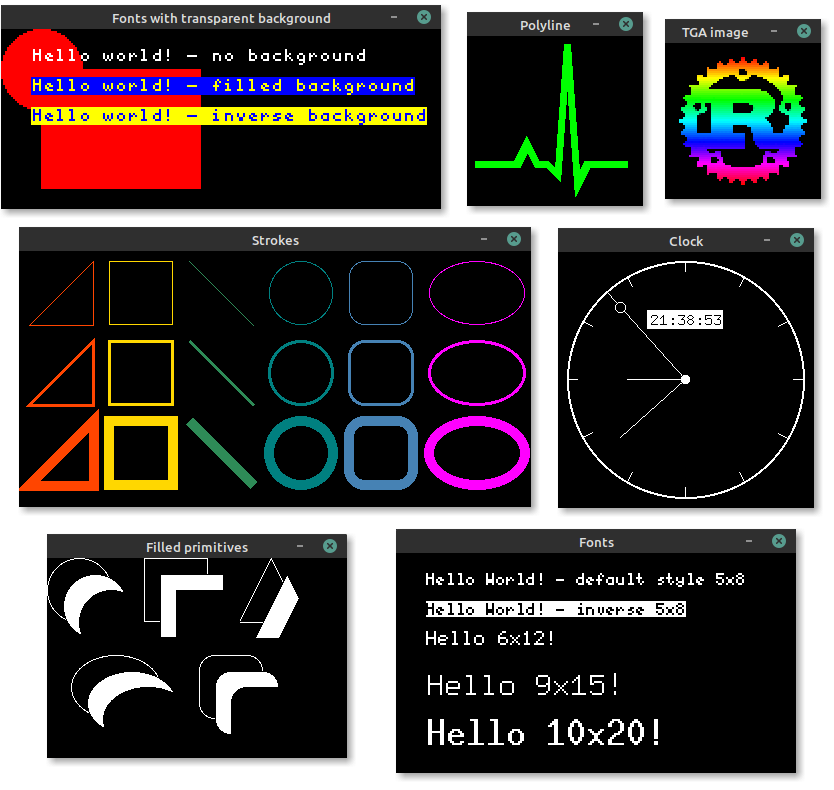
The image at the top of this post is the embedded-graphics simulator’s own demo. It earns the top slot because it replaced the worst part of this whole exercise:
let mut display: SimulatorDisplay<BinaryColor> = SimulatorDisplay::new(Size::new(184, 88));
render(&mut display, &state)?;
display.to_rgb_output_image(&settings).save_png("frame.png")?;
That is the entire integration. Implementing DrawTarget for my framebuffer made the panel driver and the simulator interchangeable, so one render path feeds both. A forty-second build/flash/photograph loop became a sub-second cargo run.
Two things worth knowing. The simulator defaults to an OLED convention where On is a lit white pixel on black; e-paper ink is black on white, so BinaryColorTheme::Inverted is what makes the preview match the panel. Without it a correct layout looks like a photographic negative — which, after this week, I was primed to misread as another orientation bug. And it runs headless: the SDL feature is on by default for the interactive window, but default-features = false gives you the PNG path, which is what belongs in CI.
What this bought
With rendering on the host, layout became testable. These run in cargo test in about ten milliseconds, and two of them found real bugs immediately:
- Nothing overflows the right edge. An eight-character value at 2× is 96 px on an 88 px panel; the draw target clips silently, so it had been quietly dropping the last character.
- Long identifiers get truncated, not clipped.
- Region bands tile without overlapping, or a partial update of one corrupts its neighbour.
- A region repaint touches only its own band.
- A meter doesn’t move. Its label is variable-width, so the bar beside it used to shift as the value changed; there is now a fixed column.
That last test initially fooled itself. It scanned a row shared with the value text, so it was measuring glyph widths rather than the bar. It now scans the meter’s bottom edge, where the 5×7 face has no descenders. A test that measures the wrong thing passes for the wrong reason, which is worse than not having it at all.
The actual lesson
Every trap above cost about the same amount of time, and none were hard problems. They were slow ones. The bottleneck was never the difficulty of the bug — it was that each hypothesis cost forty seconds and a photograph to evaluate.
Tooling that shortens the loop is worth more than cleverness that shortens the search. I reached for it fourth.
Header image: the embedded-graphics simulator demo, from the embedded-graphics repository. Copyright © 2020 James Waples and contributors, used under the project’s MIT license.